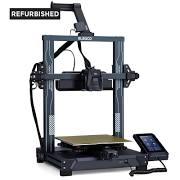
why_shouldn_t_the_z_offset_be_saved
Differences
This shows you the differences between two versions of the page.
| Both sides previous revisionPrevious revision | |||
| why_shouldn_t_the_z_offset_be_saved [2025/10/08 12:18] – dshoop | why_shouldn_t_the_z_offset_be_saved [2026/07/23 14:29] (current) – dshoop | ||
|---|---|---|---|
| Line 13: | Line 13: | ||
| * if using with an uncalibrated probe and so including an error adjustment value this won't be a consistent value with saving because of the changing error adjustment. | * if using with an uncalibrated probe and so including an error adjustment value this won't be a consistent value with saving because of the changing error adjustment. | ||
| + | |||
| + | ==== Furher discussion ==== | ||
| + | |||
| + | The gcode z offset is never saved under Klipper nor does that make sense. It’s supposed used for fine adjustment of filament squish to assure non-tangential bonding of extrusions to adjacent layers and walls. | ||
| + | |||
| + | If your gcode z offset is negative then you’re mid-using it to include an error adjustment for not having your z probe calibrated. This then leads to an inappropriate workflow that makes you think you should be saving it in order to keep accounting for the error adjustment from being uncalibrated . | ||
| + | |||
| + | What you want is to calibrate your z probe so you don’t need to keep the error adjustment value overloading the gcode z offset from it not being calibrated. | ||
| + | |||
| + | You can read how to calibrate your z probe on the klipper docs stored on your printer or online at https:// | ||
| + | |||
| + | Be aware that in later Elegoo software updates they broke this and other key klipper features purposefully, | ||
/app/data/pages/why_shouldn_t_the_z_offset_be_saved.txt · Last modified: by dshoop