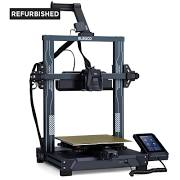
heater_not_heating_at_expected_rate
Differences
This shows you the differences between two versions of the page.
| Both sides previous revisionPrevious revisionNext revision | Previous revision | ||
| heater_not_heating_at_expected_rate [2026/06/08 15:27] – dshoop | heater_not_heating_at_expected_rate [2026/11/22 16:09] (current) – [Answer:] dshoop | ||
|---|---|---|---|
| Line 1: | Line 1: | ||
| ====== How to fix " | ====== How to fix " | ||
| - | {{tag> articles howto about}} | + | {{tag> articles howto about faq}} |
| {{ : | {{ : | ||
| Line 6: | Line 6: | ||
| ===== Discussion: ===== | ===== Discussion: ===== | ||
| - | This error indicates a heater (extruder | + | [[Klipper]] uses an algorithm (PID controller) to monitor your heater's temperatures |
| - | ===== Answer: ===== | + | This error indicates a heater (extruder hot end or bed) isn't heating based on the PID heating characteristics that's been configured and are expected. This could mean the heater isn't operating or the thermistor isn't operating. |
| - | If you recently replaced the bed, hot end, toolhead, or nozzle you must re-perform [[pid_tuning]] for Klipper | + | Look to see if heater in question is at room temperature (not heating at all) or has risen in temperature |
| + | ===== Answer: ===== | ||
| + | |||
| + | If you recently replaced the bed, hot end, toolhead, or nozzle you must re-perform [[pid_tuning]] for Klipper to understand and support the heating curve of the heater which will have changed. | ||
| ==== Extruder heater ==== | ==== Extruder heater ==== | ||
| Line 28: | Line 31: | ||
| ==== Bed heater ==== | ==== Bed heater ==== | ||
| - | If the issue is with the bed heater, check the following: | + | If the issue is with the bed heater, check following: |
| Check the bed cable, make sure it's well connected and isn't frayed or broke, Check the motherboard to make sure nothing' | Check the bed cable, make sure it's well connected and isn't frayed or broke, Check the motherboard to make sure nothing' | ||
| - | Try running [[pid_tuning]] for the bed heater and if it fails this and the connections are good, replace the bed heating mat. That a pain so replacing the entire bed is your best bet. See Elegoo for replacement parts. | + | Try running [[pid_tuning]] for the bed heater and if it fails this and the connections are good, replace the bed heating mat. That’s a pain so replacing the entire bed is your best bet. See Elegoo for replacement parts. |
| + | |||
| + | You can also check the motherboard for 24v using a VOM at the shown connector below. | ||
| + | {{: | ||
| + | |||
/app/data/attic/heater_not_heating_at_expected_rate.1780946822.txt.gz · Last modified: by dshoop