fluidd
Differences
This shows you the differences between two versions of the page.
| Both sides previous revisionPrevious revisionNext revision | Previous revision | ||
| fluidd [2025/09/14 05:09] – dshoop | fluidd [2025/11/25 00:22] (current) – dshoop | ||
|---|---|---|---|
| Line 1: | Line 1: | ||
| ====== Fluidd ====== | ====== Fluidd ====== | ||
| {{tag> about}} | {{tag> about}} | ||
| + | |||
| + | {{ : | ||
| + | |||
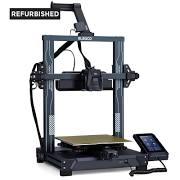
| + | Klipper based printers make use of a distributed architecture for command and control of operations and the hardware. User interfaces communicate and deliver instructions via APIs. Additionally the N4 series has an ancillary microcontroller side screen that's not part of the printer and communicates back with the klipper systems via a tty serial port connection. This is a crude a rudimentary UI. Meanwhile Klipper offers multiple GUIs, including a web based GUI called Fluidd | ||
| Fluidd is a lightweight & responsive web based user interface for [[Klipper]] based 3D printers. It's a web application that communicates to the Moonraker API server that drives Klipper. It's included as the web GUI as part of Elegoo' | Fluidd is a lightweight & responsive web based user interface for [[Klipper]] based 3D printers. It's a web application that communicates to the Moonraker API server that drives Klipper. It's included as the web GUI as part of Elegoo' | ||
| Point your web browser to your printer' | Point your web browser to your printer' | ||
| + | |||
| + | When you're in a slicer like Orca and you're in the Device tab this is really just a web browser window connected to the web server on the printer and displaying it in the window. | ||
| ==== Resources ==== | ==== Resources ==== | ||
/app/data/attic/fluidd.1757840947.txt.gz · Last modified: by dshoop